Updated 25 October 2026. We first launched this feature under an earlier name in March 2025. It's now called AI Review Replies, and this article brings together our 2025 posts on replying to reviews at scale.
Replying to every Google review takes time. For one busy location it's hard enough. Across dozens or hundreds of locations, reviews pile up fast and the replies start to sound the same.
AI Review Replies helps. It writes a first-draft reply for every review in your brand voice. You read it, change it if you want, and send.
Why replying to Google reviews matters
Google reviews are often the first thing people see about your business. Your replies are part of that first impression.
- It builds trust. Google says replying shows customers you value their feedback. People read your replies before they decide to call or visit.
- It helps you stand out. Google says positive reviews and helpful replies can help your business stand out.
- It softens bad reviews. A calm, helpful reply to a negative review shows everyone else how you treat customers when something goes wrong.
- It shows you what's going on. Reading every review, at every location, is how you spot a problem before it spreads.
Why most businesses fall behind
If replying matters so much, why do so many reviews go unanswered? Usually it comes down to three things:
- Time. Reviews arrive every day, and there's always something more urgent.
- Not knowing what to say. Especially for a tricky negative review.
- Worry about sounding robotic. Copy-and-paste replies can feel worse than no reply at all.
For brands with many locations there's a fourth: keeping replies consistent when lots of different people are writing them.
How AI Review Replies works
AI Review Replies is part of Local Intelligence, on the Premium plan.
- Connect your Google Business Profiles. Every location's reviews come into one inbox.
- Open a review and generate a reply. AI writes a first draft of your reply, in your brand voice.
- Check it and send. Edit anything you like, then publish. Nothing goes out until you send it.
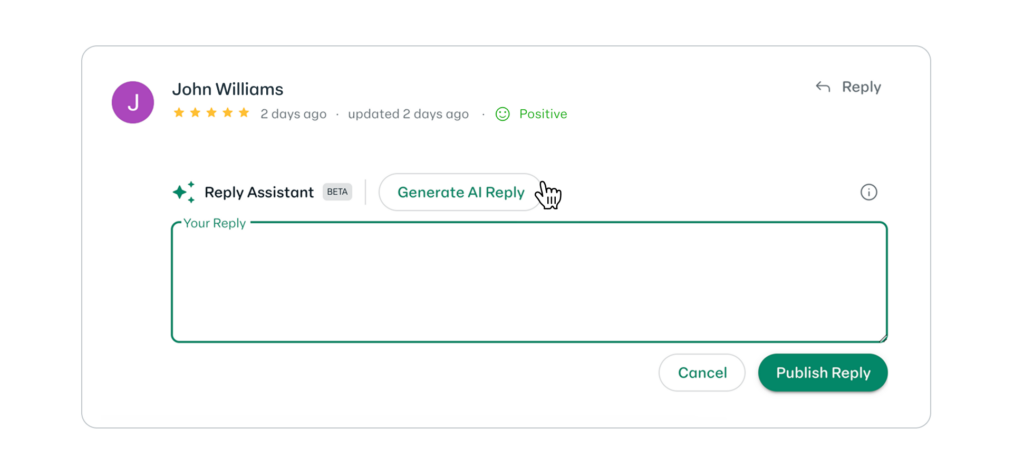
The reply screen at the 2025 launch, when the feature was still labelled Reply Assistant.
You stay in control of every reply.
Tips for replying to reviews at scale
AI gives you a strong first draft. These habits make the final reply better.
- Make it personal. Mention something specific the customer said. A detail shows a real person read it.
- Thank people for good reviews. A short, warm thank-you is enough.
- Take negative reviews seriously. Apologise for their experience, say what you'll do, and offer a way to get in touch. Don't argue in public.
- Reply quickly. Aim for a few days, not a few weeks. If you have a backlog, read should you reply to old reviews?
- Keep private details private. Never include order numbers, health details or anything the customer didn't share.
Want us to handle replies for you?
With the Fix add-on, the DigitalMaas team can handle review replies for you, along with the rest of the work on your listings. See pricing for Premium and Premium + Fix.
Spotting reviews that break Google's rules
Some reviews shouldn't be there at all: fake, abusive or off-topic reviews. Replying isn't the answer for those. Review Shield checks reviews at your locations against Google's review policies and flags the ones that likely break them, with the reason for each. It's included on every paid plan.
Coming next: Smart Replies
We're working on Smart Replies, a guided way to reply to reviews for busy location managers. It shows the most important reviews one at a time, each with a pre-filled AI reply you can edit, skip or publish. It's in beta and not yet included in any plan.